UVA recently changed the way that you log into new innovations which is our work hour and procedure logging website. The link to log in while ON CAMPUS is https://new-innov.com/login/sso/uva .

If you are trying to login from home you are going to need to log in to the UVA VPN and then use that website. You can get to the instructions to install the VPN on your device here: https://hit.healthsystem.virginia.edu/help-desk/top-resources/connect-to-uva-health-network-from-home-vpn/

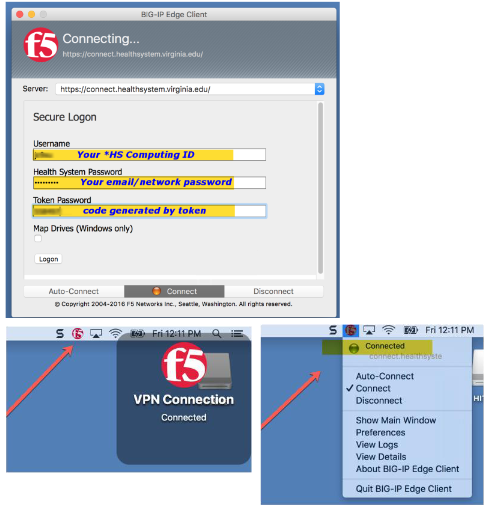
There are instructions for both Windows and Mac on this site. Ultimately you end up with something that should look like this. (Windows above and Mac below)
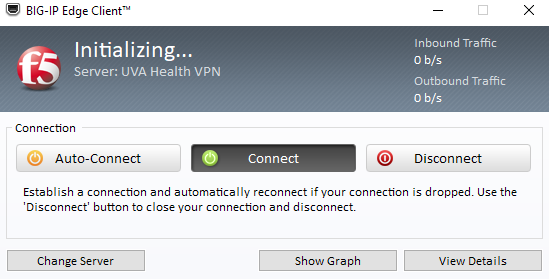
Screenshot of BIG-IP Edge Client software initialization window with connect, disconnect, and auto-connect options, server information, and traffic statistics.
Screenshots of the F5 BIG-IP Edge Client software indicating connection status, login screen with placeholder text for user credentials, and a VPN connection status menu showing 'Connected' and options for disconnect and preferences.

Work Hours - You need to log 15 days or 100 hours by 4 days past the end of the month.
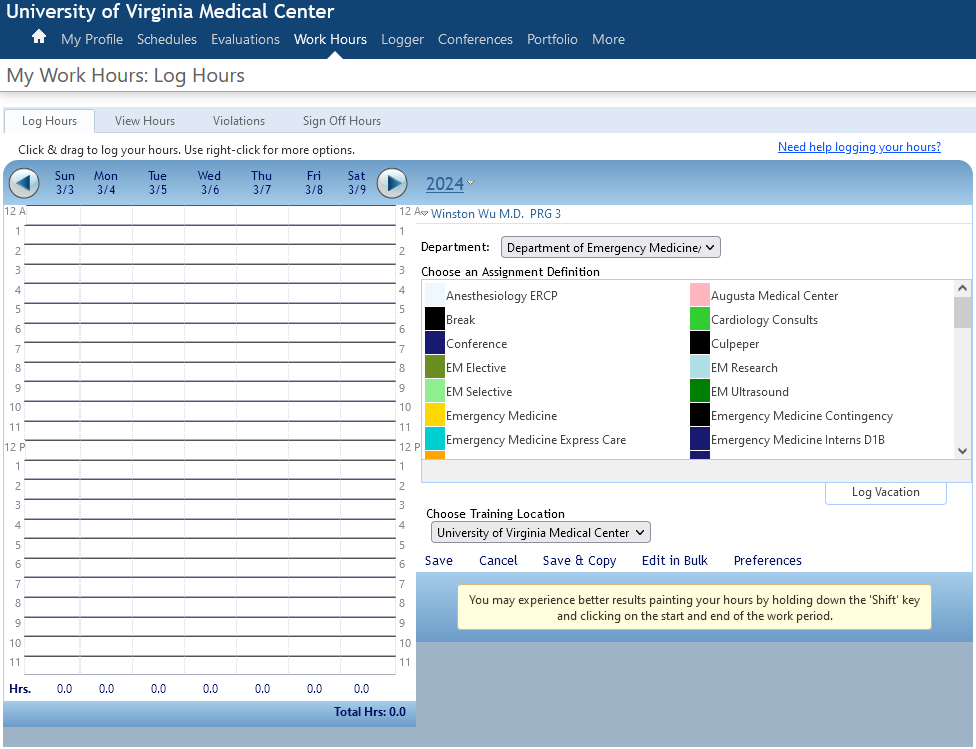
Screenshot of a work hours log system at the University of Virginia Medical Center, showing a calendar from March 3 to March 9, 2024, with options to select departments, assignment definitions, and training locations.
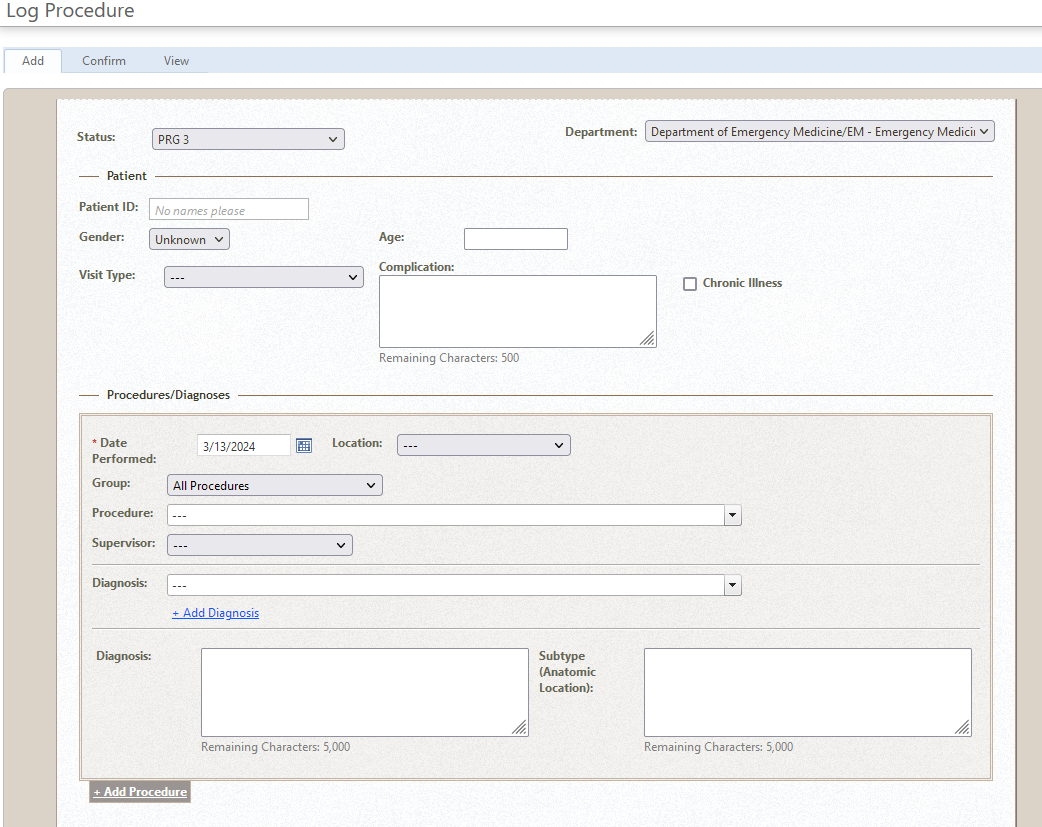
Screenshot of a medical log procedure form from a hospital or clinic system, showing fields for patient information, visit details, procedures, diagnoses, and date, within the Department of Emergency Medicine.

This is also where you will log your procedures. The required amount of procedures for graduation is also listed below.
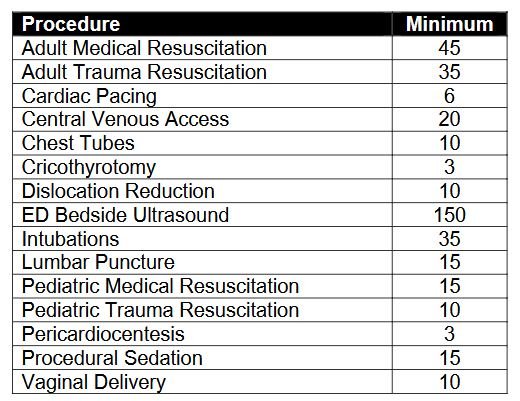
Medical procedure minimums chart with various procedures and their minimum values.