We’ve provided you with a link to download the mmodal program with an instructions file.
Click Here - the password to get into the folder is the same as the password for the schedule
If you have a windows computer then download the .zip file
If you have a mac download the .pkg file
Either way install the mmodal software and start it
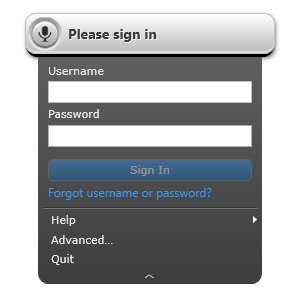
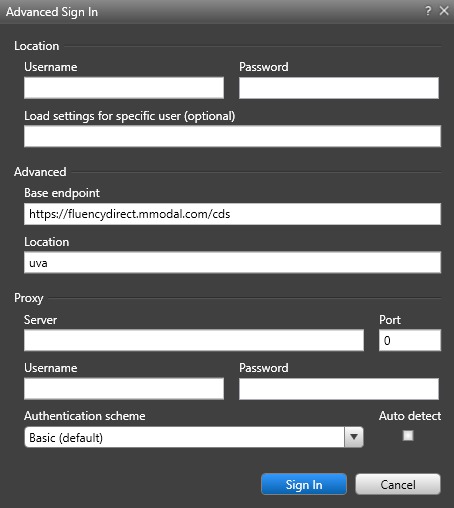
Once started hold shift and click the gray command bar with the microphone - click advanced. (see below)
Type in your username in ALL CAPS and the password should be your first initial followed by 123 in lowercase
In the advanced base enpoint field make sure the URL is https://fluencydirect.mmodal.com/cds
In the location tab make sure it is uva
Now when you log into epic mmodal should automatically connect.